
Não encontrou o que procurava?
Entre em contato e responderemos o mais breve possível
Enviar uma dúvida
Cadastre-se agora e ganhe 50% de desconto na primeira mensalidade!
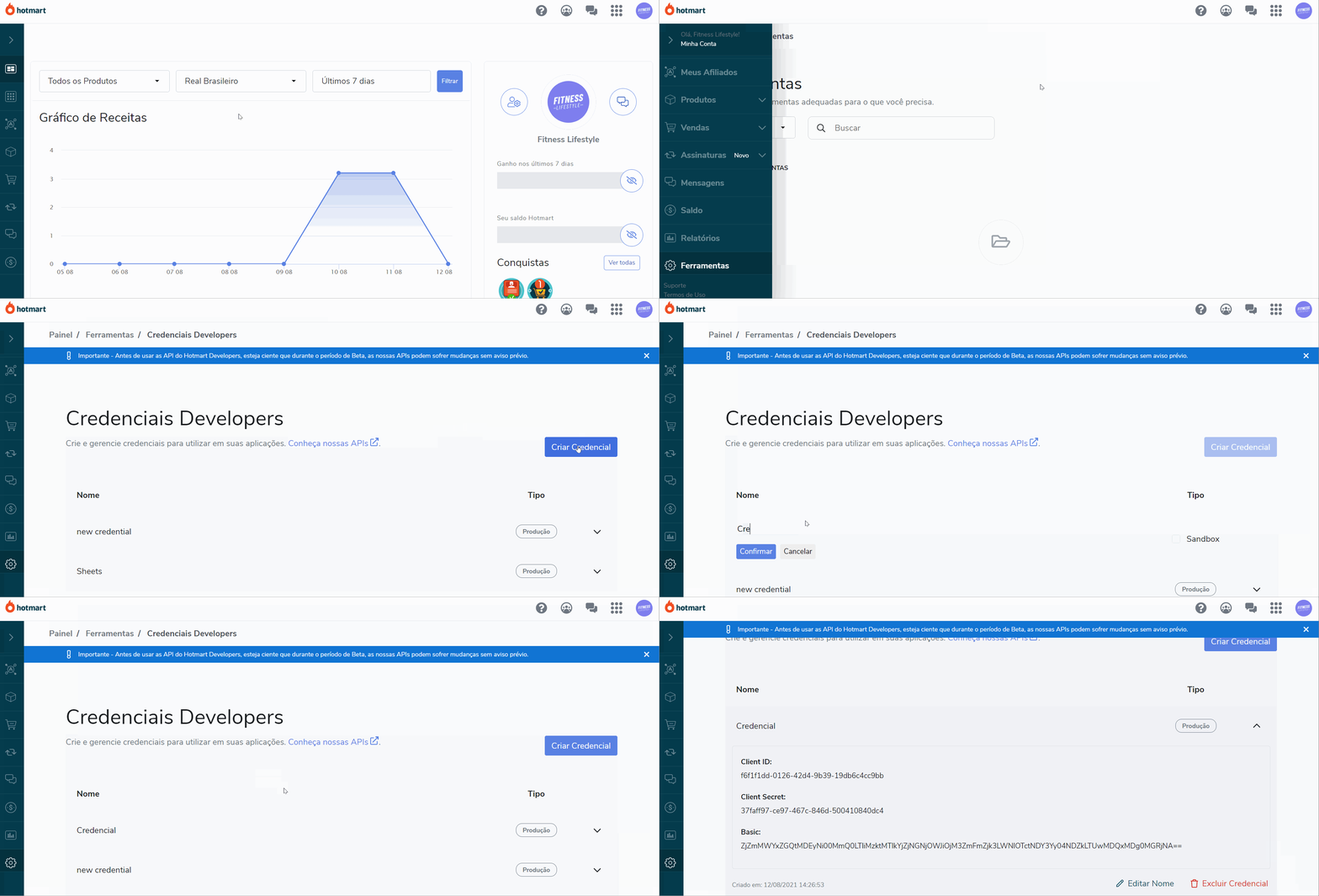
To use the Hotmart connector on Stract, you need to create your access credentials via API on the Hotmart platform:
You must create the credentials on the Hotmart platform that will be inserted in the stract sidebar:
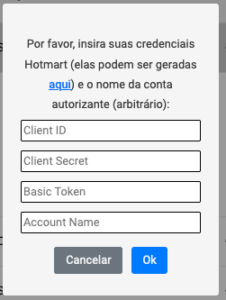
The last step in the configuration is to connect the credentials created earlier to the stract sidebar:
To extract data from the Hotmart Club (members’ area) you need to enter the domain, for example: your hotmart url is companyname.club.hotmart.com.
In this case, you should only enter the company name (subdomain) in the sidebar. You can enter more than one domain using a comma, for example: nomedaempresa1,nomedaempresa2.
Entre em contato e responderemos o mais breve possível
Enviar uma dúvida
Digite a senha para visualizar este conteúdo.